
Desk Setup Tips for Focus and Comfort
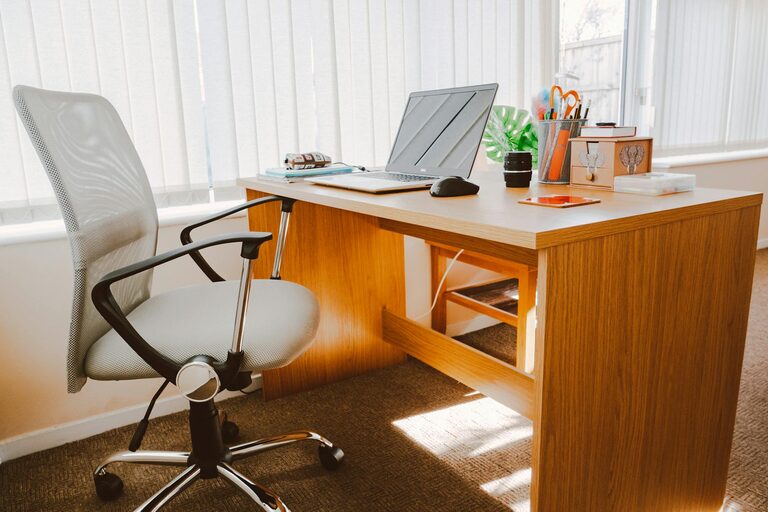
Creating an efficient and comfortable desk setup is essential for maintaining focus and productivity during work or study. Whether you are working from home, in an office, or attending classes online, the way your workspace is arranged can significantly impact both your physical comfort and mental clarity. In this post, we’ll explore practical tips to help you set up a desk that promotes concentration and well-being.
Why a Good Desk Setup Matters
A well-organized, ergonomic workspace not only improves productivity but also reduces physical strain and mental fatigue. When your desk suits your needs, you can work longer hours comfortably, with fewer distractions and less discomfort. This contributes to better work quality and a healthier routine.
Choosing the Right Desk and Chair
Desk Height and Size
Your desk should be appropriately sized for your tasks. It needs to have enough surface area to hold your computer, accessories, and any materials you use regularly, without feeling cluttered.
– Height: The ideal desk height typically falls between 28 and 30 inches (71–76 cm) for adults, allowing your forearms to be parallel to the floor when typing.
– Surface: Choose a sturdy surface that isn’t prone to wobbling and supports your equipment safely.
Ergonomic Chair Selection
Invest in a chair that supports good posture.
– Adjustable height: Ensure your feet rest flat on the floor with knees at a 90-degree angle.
– Lumbar support: Your lower back should be supported naturally to avoid strain.
– Armrests: Adjustable armrests help relax your shoulders and keep your arms at a comfortable angle.
Optimizing Your Monitor and Screen Setup
Positioning Your Monitor
Proper screen placement reduces eye strain and neck pain.
– Place the monitor directly in front of you, about an arm’s length away (roughly 20-30 inches).
– The top of the screen should be at or slightly below eye level.
– Tilt the screen slightly upwards or downwards depending on your seating height.
Reducing Glare and Blue Light
– Position your desk perpendicular to windows to minimize glare.
– Use adjustable blinds or curtains to control natural light.
– Consider a blue light filter screen or software to reduce eye fatigue if you spend long hours in front of screens.
Arranging Essential Desk Items for Efficiency
Keep Tools Within Reach
Group frequently used items, like pens, notebooks, or a phone, within arm’s reach to avoid repeatedly stretching or breaking your concentration.
Declutter Regularly
A tidy desk fosters a clear mind. Remove unnecessary items at the end of each day and organize your supplies.
– Use drawer organizers or desk trays to keep small items in order.
– Limit decorative objects to a few meaningful pieces to reduce distractions.
Lighting: Finding the Right Balance
Natural Light
Whenever possible, position your desk near a window. Natural light enhances mood and alertness.
Artificial Lighting
– Use a desk lamp with adjustable brightness and color temperature.
– Warm light can create a cozy atmosphere, while cooler light improves alertness.
– Avoid harsh overhead lighting that casts shadows on your work area.
Adding Comfort with Accessories
Keyboard and Mouse Placement
Position your keyboard and mouse on the same surface, close enough to avoid strain.
– A keyboard tray can help maintain a neutral wrist position.
– Choose ergonomic devices if you experience discomfort.
Footrests and Cushions
If your feet don’t reach the floor comfortably, a footrest can improve posture. Cushions or lumbar supports enhance chair comfort.
Incorporating Movement and Break Reminders
Even with the best setup, staying sedentary can cause discomfort.
– Use a timer or app to remind yourself to take short breaks every 30–60 minutes.
– Stand up, stretch, or walk briefly to reduce tension and refresh focus.
Personalizing Your Space for Motivation
Adding small personal touches like plants, photos, or artwork can make your workspace inviting. Plants, in particular, improve air quality and create a calming atmosphere, which aids concentration.
Final Thoughts
Setting up your desk for focus and comfort doesn’t require expensive equipment or a complete overhaul. Small adjustments focused on ergonomics, lighting, organization, and personalization can dramatically improve your work experience. Experiment with different arrangements to find what feels best for you, and remember to maintain your setup regularly for consistent benefits.
By investing a little time into your desk environment, you’ll create a space that supports your productivity and well-being — one where you can work smarter, stay comfortable, and focus better.